
If you own a Galaxy S25, S24, or Z Fold 7, your phone just got noticeably smarter overnight.
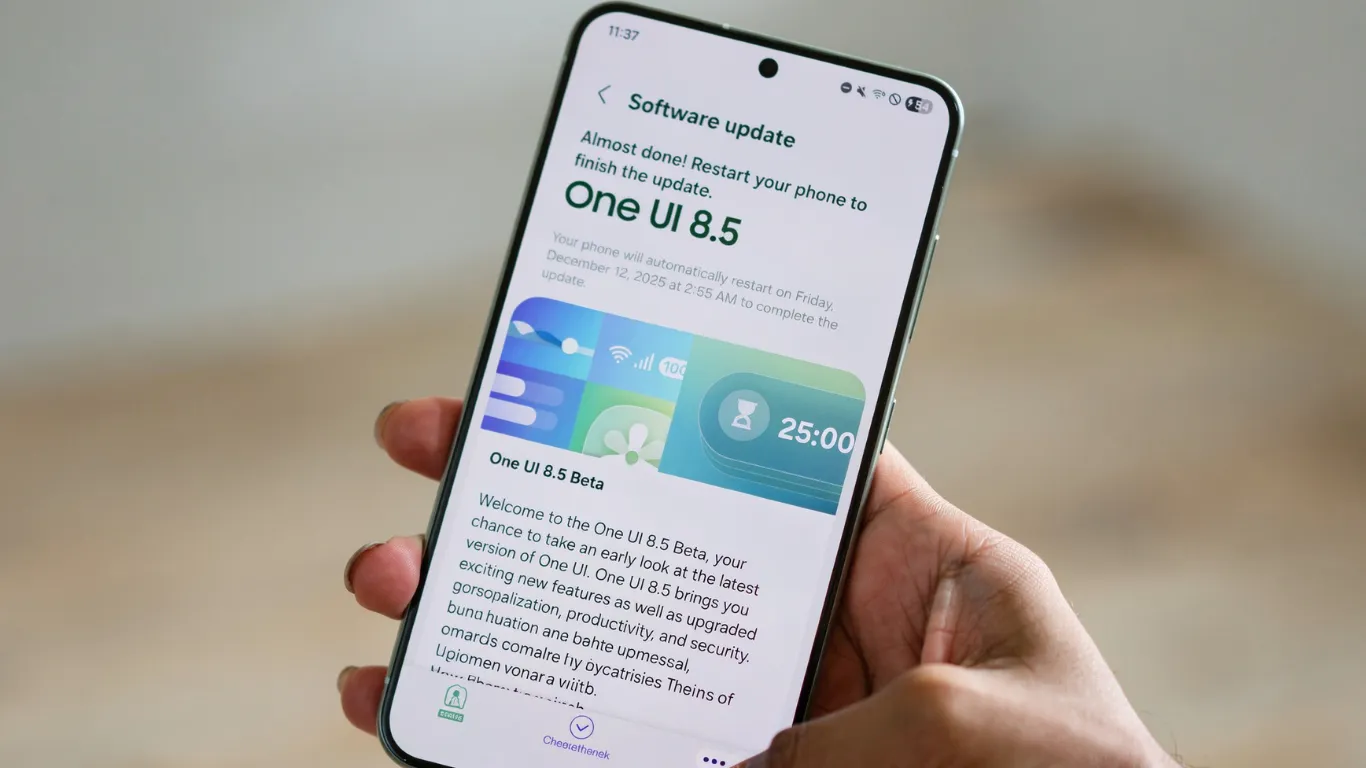
Samsung is rolling out One UI 8.5 to older Galaxy flagships — first for the Galaxy S25 series on May 6, with the global rollout beginning May 11. Unlike some mid-cycle Samsung updates I have covered over the years, this one actually delivers features worth talking about.
One UI 8.5 is built on Android 16 — the same base as One UI 8.0. This is not a new Android release. It is Samsung’s mid-cycle feature update sitting between One UI 8.0 and the upcoming One UI 9. The real story is access: features locked to the Galaxy S26 at launch are now landing on phones you already own.
The 6 Features That Actually Matter
I have been running the stable build on my Galaxy S25 for four days. Here is what is genuinely useful versus marketing noise.
1. AirDrop Through Quick Share — The Biggest Win
This is the feature I expected Samsung to hold back. They did not.
You can now send files directly to iPhones, iPads, and Macs using AirDrop through Quick Share — no third-party app needed. A “Share with Apple devices” toggle appears in your Quick Share settings after updating, and it works on Galaxy S22 series and newer flagships, as confirmed by TechCabal’s One UI 8.5 rollout breakdown.
I tested this with an iPhone 17 Pro Max on my desk. The connection established in about 4 seconds and a 22MB photo transferred in under 3 seconds.
One thing to know: some users have reported AirDrop transfers failing until the device is rebooted after the update. Reboot your phone immediately after installing One UI 8.5 before testing the feature.
2. Call Screening — Your Phone Answers Unknown Calls For You
Your phone can now automatically take calls from unknown numbers, ask what the caller needs, and transcribe and summarize the entire conversation.
I have received three spam calls since updating. In all three cases, the AI answered, the caller hung up within seconds, and I got a one-line summary confirming it was junk. That is genuinely useful every day.
3. AI Select Replaces Smart Select
AI Select works similarly to the old Smart Select but acts immediately the moment you invoke the feature — no screenshot first, no follow-up command needed.
In daily use the difference is noticeable. It is faster and feels properly integrated. According to BGR’s One UI 8.5 breakdown, AI Select is one of the most practically improved features in this update for everyday Galaxy users.
4. Audio Eraser Goes System-Wide
Audio Eraser now works system-wide and in real time — not just inside the video editor.
You can use it during voice recordings, in messaging apps, and anywhere audio is captured. For anyone shooting quick clips on a Galaxy phone, this is a real workflow improvement rather than a buried settings toggle.
5. Privacy Display — Software Version Only
Privacy Display masks your screen from side-on viewers when using sensitive apps like banking or password managers.
The hardware-level Privacy Display remains exclusive to the Galaxy S26 Ultra. Other devices get only the software masking layer. I tested it at a coffee shop — it visibly reduced readability from about 30 degrees off-axis, but it is nowhere near as effective as the S26 Ultra’s panel-level implementation. Useful on a commuter train. Not a replacement for the S26 Ultra if screen privacy is a daily professional need.

6. Creative Studio for AI-Generated Images
Creative Studio lets you generate AI images and stickers directly from the gallery.
I will be honest — I have used it twice and probably will not use it again. If you enjoy creating AI stickers for WhatsApp, you will get something from this. For most Pixel Reviews readers it is the least impactful feature in this update.
What Your Galaxy S25 Still Does Not Get
Here is what Samsung is not saying in the marketing materials.
The hardware-level Privacy Display is S26 Ultra only. Some advanced Galaxy AI photo editing tools are limited or absent on older chipsets. SammyFans’ post-release analysis specifically noted that the official One UI 8.5 update is a bit disappointing for the Galaxy S25 series, as it lacks some genuinely useful features from the S26 lineup.
In my own testing, One UI 8.5 also runs with slightly more animation lag on the S25’s Snapdragon 8 Elite compared to the S26’s newer processor. Some users have reported the same after updating.
One UI 8.5 narrows the gap between the S25 and S26 meaningfully — but Samsung still holds back enough to keep the S26 a distinct tier above.
Which Galaxy Phones Get One UI 8.5 — And When
| Device | Status (May 2026) |
|---|---|
| Galaxy S26 series | Pre-installed at launch |
| Galaxy S25 / S25+ / S25 Ultra | Rolling out now — global |
| Galaxy Z Fold 7 / Z Flip 7 | Rolling out now — started India |
| Galaxy S24 / S24+ / S24 Ultra | Rolling out in US — Verizon first |
| Galaxy A56, A55, A36, A35 | Expected June 2026 |
| Galaxy S23 series | Confirmed — timing unclear |
| Galaxy S21 and older | Not eligible |
The download is around 4 to 4.5GB for most devices updating from One UI 8.0 — stay on Wi-Fi. SamMobile confirmed that the stable One UI 8.5 update is now available for the Galaxy S24 series in the USA for carrier-locked models with firmware version S92xUSQU5DZDR, currently live on Verizon with other carriers expected to follow.
My Honest Review After 4 Days
This is the best mid-cycle Samsung update I have seen in three years.
The AirDrop integration through Quick Share alone removes one of the most consistent friction points in the Android-to-iPhone workflow. Call Screening works and saves real time. AI Select is a genuine improvement.
The features Samsung held back — hardware Privacy Display, a few advanced AI tools — are noticeable absences but not dealbreakers for most Galaxy owners.
If you own a Galaxy S25 or S24, update now. If you are weighing a discounted S25 against the S26 at $899, this update makes the S25 a slightly more compelling value than it was last week.
Frequently Asked Questions
Does the Samsung Galaxy S25 get One UI 8.5?
Yes. The Galaxy S25 series was the first older flagship to receive the stable One UI 8.5 update, with the global rollout beginning May 11, 2026. Check Settings → System → Software Update → Download and Install.
Can I AirDrop from Samsung to iPhone with One UI 8.5?
Yes. One UI 8.5 adds AirDrop through Samsung’s Quick Share. A “Share with Apple devices” toggle appears in Quick Share settings after updating. It works on Galaxy S22 series and newer flagship devices. Reboot after installing before testing.
What Galaxy S26 features are missing from One UI 8.5 on older phones?
The hardware-level Privacy Display remains exclusive to the Galaxy S26 Ultra. Some advanced Galaxy AI photo editing tools are limited on older chipsets. The software Privacy Display is available but significantly less effective than the S26 Ultra’s panel-level implementation.
Will Galaxy A-series phones get One UI 8.5?
Samsung has confirmed the last three generations of Galaxy A-series phones will receive One UI 8.5, expected in June 2026. However, A-series devices receive a smaller set of AI features under the “Awesome Intelligence” label rather than the full Galaxy AI suite available on S-series devices.